Free Government Tablet Near Me: Find Local Providers 2026
Searching for a free tablet near me usually does not mean there is a federal office in your city handing out tablets. The real path is to find Lifeline companies that serve your ZIP code, check whether any provider currently lists a tablet or device offer, and then apply through the official eligibility process.
Table of Contents
This guide shows how to check providers near you, which official tools to use, what documents to prepare, when walk-in help may exist, and why tablet availability can change by state, ZIP code, provider stock, and current terms.
Quick answer: To find a free or low-cost tablet near you, start with the official Companies Near Me tool, search by ZIP code or city and state, then contact the listed Lifeline providers to ask whether they currently offer tablets, phones, SIM cards, or BYOP options. Lifeline approval does not guarantee a tablet or a specific model.
Local Search Tip: If you are trying to apply for a free government tablet near you, remember that approval depends on your state. Start by checking our State Directory Hub to see specific offers for your area.
Can You Actually Walk Into a Local Office?
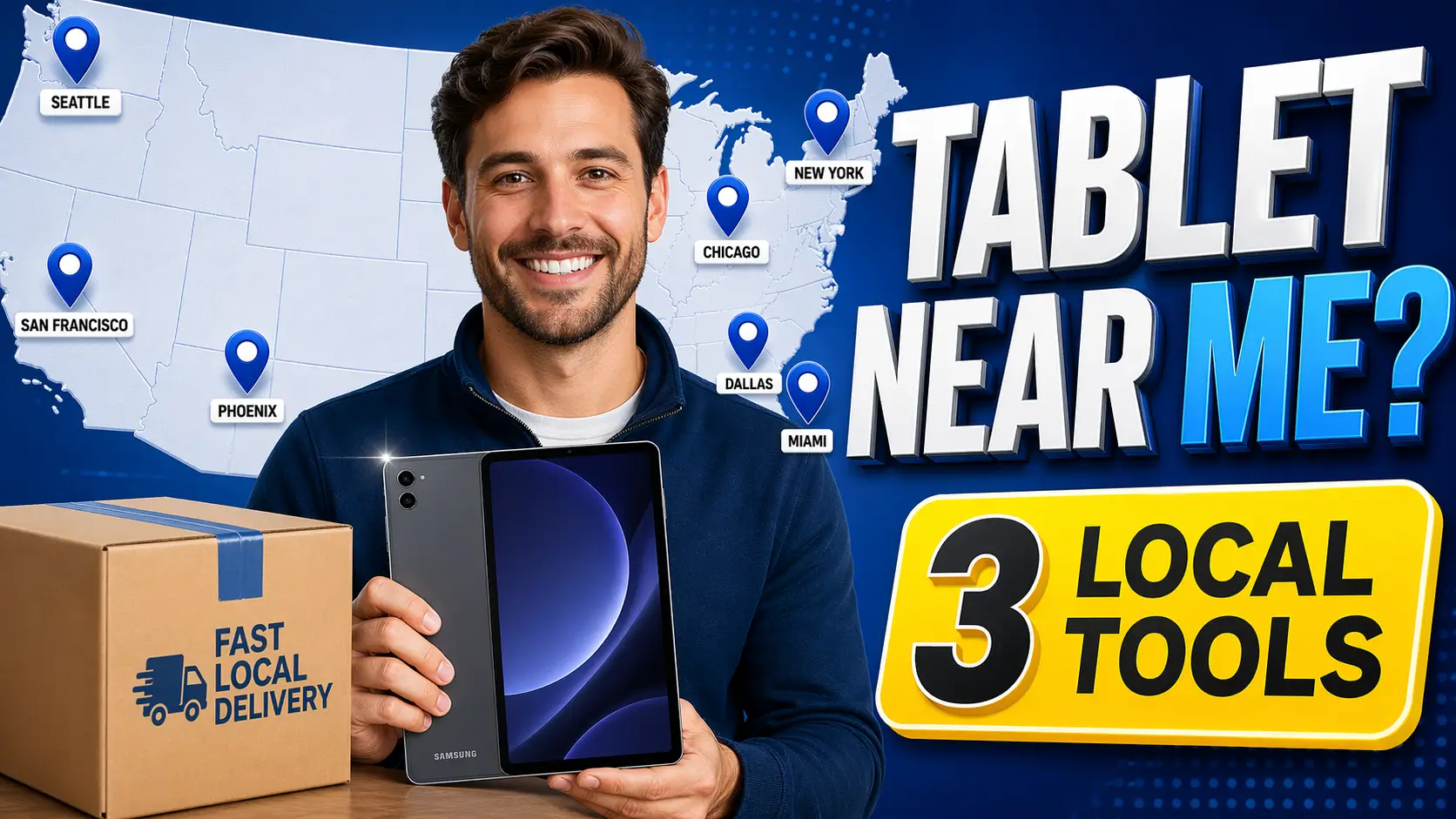
Honestly? Almost never. Lifeline doesn’t have walk-in offices. But there are a few ways to get in-person help:
- Sign-up events at community centers, churches, shelters, and libraries. These pop up more often in bigger cities.
- Retail stores from carriers like StandUp Wireless, TAG Mobile, Assurance Wireless, or AirTalk Wireless in some states. Staff there can help you apply on the spot.
- State offices in Texas and Oregon, which run their own version of Lifeline.
For everyone else, finding free tablets near me really just means figuring out which Lifeline companies work in your ZIP code and applying from home.
What “near me” really means for tablet offers
For Lifeline, “near me” usually means provider coverage in your ZIP code, not a walk-in tablet pickup location. Some companies may have stores, enrollment agents, events, or local help desks, but most applications are completed online or by phone.
| Near-me search | What it usually means | Best next step |
|---|---|---|
| Free tablet near me | A provider serving your ZIP code may offer a tablet | Check Companies Near Me, then call the provider |
| Walk-in tablet office near me | Usually not a government office; may be a provider store or sign-up event | Verify the provider before sharing documents |
| EBT tablet near me | SNAP/EBT may help with Lifeline eligibility | Prepare benefit proof, not just the card |
| Medicaid tablet near me | Medicaid may qualify you for Lifeline | Use current Medicaid proof if requested |
| Tablet pickup near me | Pickup is uncommon; shipping is more common | Ask the provider about delivery or local events |
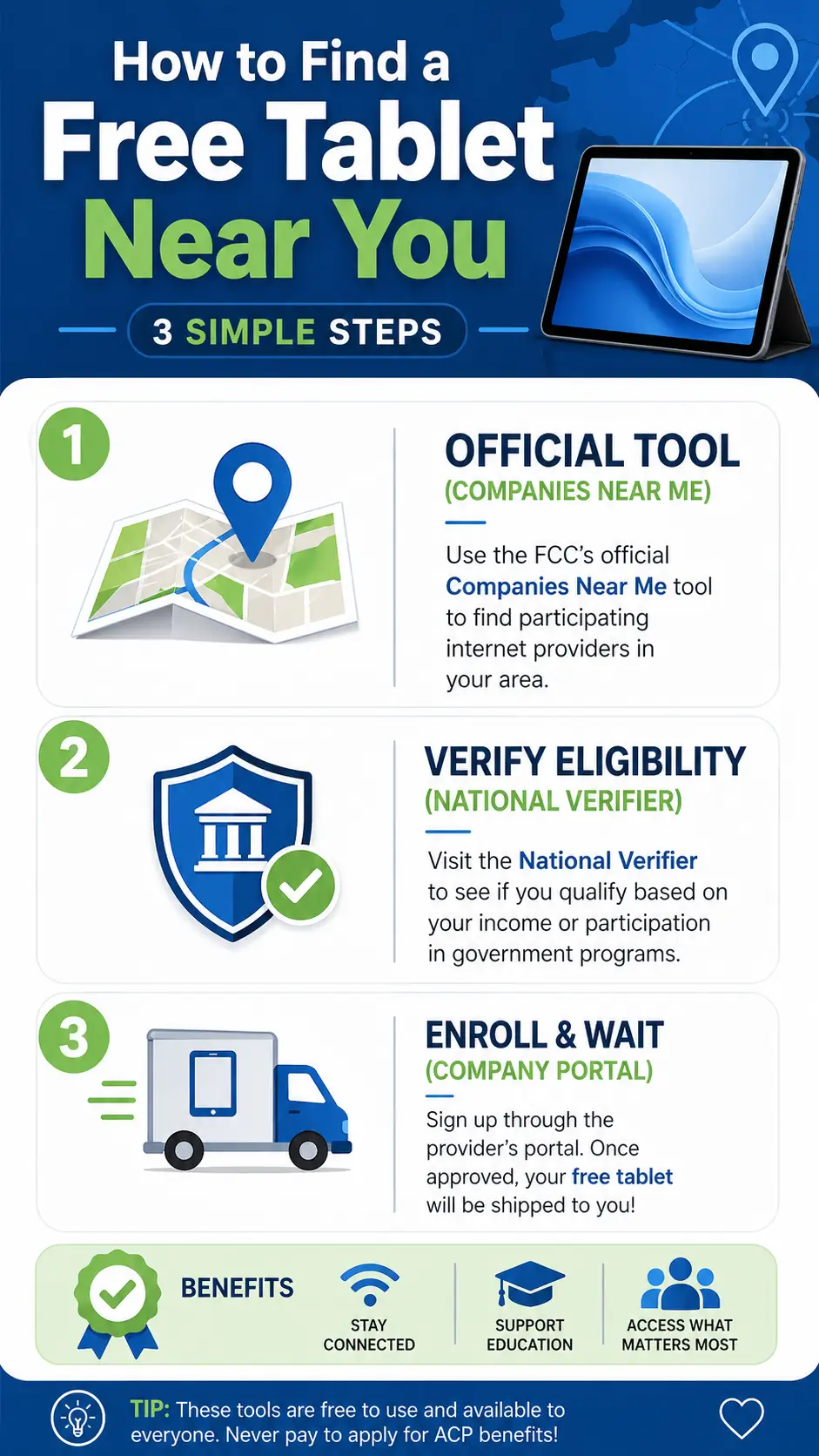
3 Official Tools That Actually Work
1. The Companies Near Me Tool
This is the official Lifeline provider lookup tool. Go to Companies Near Me, type in your ZIP code or city, and you’ll get a printable list of every approved Lifeline company in your area. You’ll see their phone numbers and what they offer (phone, internet, or both).
The tool is the best starting point, but you should still confirm current tablet availability, device fees, and service terms directly with the provider.
2. The National Verifier
Once you’ve got a shortlist, head to LifelineSupport.org to apply. This is the official system that checks if you qualify. Some applications are verified automatically. If the system cannot confirm your information, you may need to upload documents and wait for review. The National Verifier checks consumer information against databases, and if information is not found, the consumer can provide additional documentation.
3. State Offices (Texas and Oregon Only)
Texas and Oregon do their own thing:
- Texas: apply at texaslifeline.org.
- Oregon: apply through OTAP, run by the Oregon Public Utility Commission.
Every other state uses the National Verifier. Want to see what’s available where you live? Check our state directory.
Who Actually Qualifies
You qualify if you check one of these two boxes.
You’re in a government program (this is the fast path):
- SNAP / EBT
- Medicaid
- SSI
- Federal Public Housing Assistance (Section 8)
- Veterans Pension or Survivors Pension
- Tribal programs like BIA General Assistance, Tribal TANF, Tribal Head Start, or the Food Distribution Program on Indian Reservations
Or your income is low enough: at or below 135% of the Federal Poverty Guidelines.
One more thing: only one Lifeline benefit per household. You have to be 18 or older (unless you’re a legally emancipated minor with court papers).
Specific Guides: Are you applying for a specific group? Check our focused guides for Veterans and Seniors to see which local providers prioritize these households.
If your EBT card is connected to SNAP, you may qualify through program participation, but you may still need current proof such as a benefit letter or official document. Lifeline eligibility can be based on income or participation in qualifying programs, and only one Lifeline benefit is allowed per household.
Companies You’ll See in Near Me Searches
Who pops up depends on your ZIP code, but these are the big names that work with Lifeline:
| Company | Where They Work | Offer Tablets? |
|---|---|---|
| AirTalk Wireless | Check ZIP code availability | Tablet/device offers may vary |
| StandUp Wireless | Multi-state; verify by ZIP code | Device offers depend on stock and terms |
| TAG Mobile | Multi-state; verify by ZIP code | Device offers depend on stock and terms |
| Assurance Wireless | Check ZIP code availability | Device offers depend on stock and terms |
| SafeLink Wireless | Check ZIP code availability | Mainly phone/service; verify tablet claims |
| Cintex Wireless | Some states | Device offers depend on stock and terms |
Before you sign up with anyone, double-check they show up in the USAC Companies Near Me tool. You can also compare tablet providers, review the AirTalk Wireless tablet guide, check StandUp Wireless tablets, compare SafeLink Wireless tablet claims and Assurance Wireless tablet availability, and see our guide to the best government Android tablets.
Questions to ask a local provider before applying
- Do you currently serve my ZIP code?
- Is the offer for a phone, tablet, SIM card, hotspot, or BYOP service?
- Is the tablet free, discounted, out of stock, or only available with a device fee?
- What documents do I need before applying?
- Will the device be mailed, picked up locally, or handled through a sign-up event?
- What happens if my application is marked pending or documentation required?
How to Actually Get the Tablet: Step by Step
- Find the companies near you using the Companies Near Me tool.
- Call or check their website to see if they’re giving away a tablet right now. Not all of them do.
- Apply at LifelineSupport.org (or your state site if you’re in Texas or Oregon).
- Get approved and save your application number.
- Contact the company you picked and give them your info so they can sign you up.
- Ask about delivery. Shipping and processing times depend on the provider, stock, address verification, and document review. Ask the provider for the current delivery estimate before applying.
Prefer paper over computers? Call USAC at 1-800-234-9473 or email [email protected] to get a mail-in form.
Preparation Tip: To avoid rejection, read our Document Checklist first. If you want to research specific brands found near you, see our reviews for Samsung, BLU, or Sky Devices.
Need the long version of this process? Here’s our full walkthrough: how to get a free tablet from the government. If your application is denied, see Lifeline application rejected, or compare Lifeline phone and tablet options.
How to Spot a Scam
Not every local offer is real. Watch out for these:
- Anyone advertising old ACP tablet discounts as if they are still active. ACP ended on June 1, 2024.
- Be careful with anyone asking for more sensitive information than the official application requires. Use official Lifeline or provider channels only.
- A kiosk charging an application or activation fee. Lifeline service itself is free. If a company charges something for the tablet, that’s their call, not a government rule. Be skeptical.
- Any website that doesn’t show up in the Companies Near Me tool.
Not sure if a company is real? Call USAC at 1-800-234-9473 before you hand over any personal info.
Best way to search by city or state
If you search “free tablet near me” from a large city, you may see ads, provider pages, local kiosks, or outdated ACP pages. The safer method is to search by ZIP code first, then compare state-specific rules and provider availability.
- Large cities: check for provider events, stores, and online application options.
- Rural areas: coverage and shipping may matter more than device model.
- Texas and Oregon: check state-specific Lifeline application steps.
- Tribal lands: check Tribal Lifeline eligibility and provider coverage carefully.
FAQ
Is there somewhere I can just walk in and pick up a free tablet?
Not really. Lifeline is mostly online. Some companies do sign-up events or have retail stores, but the tablet itself almost always comes in the mail.
How do I find a Lifeline company in my ZIP code?
Go to cnm.universalservice.org, type in your ZIP code, and you’ll get a list of approved providers serving your exact location.
Can I get a free tablet if I have an EBT card?
Yes, if your EBT is for SNAP, you qualify. But you’ll need a benefit letter too, not just the card.
What if I live in Texas or Oregon?
Those two states run their own Lifeline programs. Texans go to texaslifeline.org. Oregonians apply through OTAP (Oregon Telephone Assistance Program).
Does Lifeline approval guarantee a tablet near me?
No. Lifeline approval confirms eligibility for the benefit, but tablet availability depends on the provider, ZIP code, stock, and current offer terms.
Can I pick up a tablet the same day?
Same-day pickup is uncommon. Some local events or provider stores may help with enrollment, but devices are often mailed after approval and provider processing.
What documents should I bring to a local sign-up event?
Bring a photo ID, address proof, and proof of income or qualifying program participation such as SNAP, Medicaid, SSI, FPHA, Veterans Pension, or accepted Tribal program documentation.
Why do providers near me show different tablet offers?
Tablet offers can change by provider, state, ZIP code, inventory, device fee, and current terms. Always verify the live offer before applying.
Is ACP still available for tablet offers near me?
No. ACP ended on June 1, 2024. In 2026, check Lifeline providers and current provider-specific device offers instead of relying on old ACP tablet ads.
Conclusion
Getting a free government tablet near you is doable. Go straight to the Companies Near Me tool, pick a Lifeline company, and apply through the National Verifier. They’ll ship the tablet to you. Keep your expectations real. The government doesn’t hand out tablets directly. What it does is cover part of your monthly service bill, and some companies throw in a tablet as a sweetener. Offers change based on where you live and what’s in stock. If you’re on SNAP, Medicaid, SSI, Veterans Pension, or you’re under the income limit, you’ve got a real shot at this.
Just stay away from anyone pushing fees or asking for your full Social Security number, stick to the three official tools above, and you’ll be fine.