AirTalk Wireless Tablet 2026: iPad, Prices & Lifeline
AirTalk Wireless currently lists discounted tablets and iPads for eligible customers, but the device offer is separate from the federal Lifeline benefit. Lifeline lowers the cost of qualifying phone or internet service; any no-cost or reduced-price device is an AirTalk offer subject to its current inventory, ZIP-code availability, enrollment terms, and device pricing.
Table of Contents
This guide explains current AirTalk Wireless tablet and iPad options, example prices, Lifeline eligibility, the application flow, device ownership rules, and what to verify before paying for a device.
Last checked: September 21, 2026. AirTalk inventory and prices can change without notice.

Why People Search for AirTalk Wireless Tablets
For more help, see how to apply for a free tablet, documents needed for a tablet application, compare tablet providers, government tablet near me, free tablet with EBT, Lifeline phone and tablet options, SafeLink Wireless tablet, and Assurance Wireless tablet.
This section is informational only. The main focus of this guide remains the tablet and iPad options.
- Offers more device variety than many providers
- May include Apple iPads, Samsung Galaxy Tabs, Lenovo tablets, and other branded devices
- Gives users a choice between different co-pay levels
- Works as a full mobile service provider, not just a one-time device source
- Combining tablet offers with talk, text, and data benefits
- Appeals to users looking for better refurbished tablets instead of basic entry-level models
In short, AirTalk gets attention because many users see it as a stronger option for getting a better refurbished tablet, not just the cheapest available device.
What Tablet and iPad Options May Appear
AirTalk’s tablet catalog is not fixed. It rotates based on stock, but it consistently follows a structured pattern.
Device Categories You Will See
AirTalk generally offers:
- ✅ Free or discounted basic Android tablets may appear when available
- ✅ Mid-range refurbished Android tablets
- ✅ Higher-end refurbished tablets
- ✅ Limited refurbished Apple iPads
The key difference is that AirTalk does not restrict users to one device. You usually get multiple options at checkout.
Current AirTalk Wireless Tablet and iPad Examples
AirTalk’s public tablet catalog changes frequently. When checked on September 21, 2026, it listed multiple Android tablets and Apple iPads at different prices. Treat the table below as a dated example of device types and pricing, not a guaranteed checkout offer.
Examples Shown in AirTalk’s Current Catalog
Key Insight
- 👉 Free or discounted options → basic usage
- 👉 Co-pay amounts can change by device, state, stock, and provider terms. Review the final checkout price before paying.
- 👉 Premium refurbished devices (including iPads) may appear when available
AirTalk stands out because it lets you choose your device level, not just accept one.
AirTalk Wireless iPad Availability in 2026
AirTalk can list Apple iPads alongside Android tablets, but an iPad is not guaranteed with Lifeline approval. The model, price, condition, storage, and stock shown to you can change.
Current Snapshot
- iPad 7 was selectable at $89.99 when checked on September 21, 2026
- iPad 3 was listed at $8.95 but out of stock
- iPad Air 4 was listed at $149 but out of stock
- Inventory can change before you complete enrollment or checkout
Check Before You Pay
- Exact iPad model and generation
- New, pre-owned, or refurbished condition
- Storage capacity and included accessories
- Final device price, shipping, service commitment, return and warranty terms
For current inventory, compare the device shown in your AirTalk enrollment flow with the official AirTalk tablet catalog.
AirTalk Device Ownership and Service Commitment
AirTalk’s current device terms say that certain devices may be provided at no cost or at a reduced price as part of a new-customer application. These device offers are provided by AirTalk and are not funded by a government program.
- 180-day service requirement: AirTalk says a subsidized device requires 180 consecutive days of active AirTalk service for full ownership to transfer.
- Early exit: If the service requirement is not completed, the remaining device subsidy can affect ownership or device-management restrictions under the current terms.
- Carrier restrictions: Completing the ownership requirement does not necessarily mean the device will work on another carrier.
- Read the live terms: Device-management, return, warranty, subsidy, and network rules can change, so check the current terms before ordering.
See AirTalk’s official Device Terms and Terms & Conditions for the latest rules.
Where Are AirTalk Wireless Tablet Offers Available?
AirTalk service and device offers are location-dependent. Instead of relying on an old state list, enter your ZIP code in AirTalk’s current enrollment flow and confirm that Lifeline service and the tablet you want are available at your address.
You can also use the official USAC Companies Near Me tool to see Lifeline companies serving your area. A provider appearing in your area does not guarantee that a particular tablet or iPad is in stock.
Who May Qualify for an AirTalk Wireless Tablet Offer?
AirTalk’s Lifeline enrollment depends on current Lifeline eligibility. Lifeline can qualify through an approved assistance program or household income. You may be asked for supporting documents if eligibility cannot be confirmed automatically.
Program-Based Eligibility
A person may qualify if they, their child, or a dependent participates in a qualifying program such as:
- Medicaid
- Supplemental Nutrition Assistance Program (SNAP)
- Supplemental Security Income (SSI)
- Federal Public Housing Assistance (FPHA)
- Veterans Pension or Survivors Benefit
- Qualifying Tribal assistance programs, when applicable
Income-Based Eligibility
Lifeline income eligibility is 135% or less of the Federal Poverty Guidelines. For 2026, the one-person household limit is $21,546 in the 48 contiguous states, D.C., and territories, $26,933 in Alaska, and $24,786 in Hawaii. Limits increase with household size.
Check the current USAC Lifeline qualification page before applying.
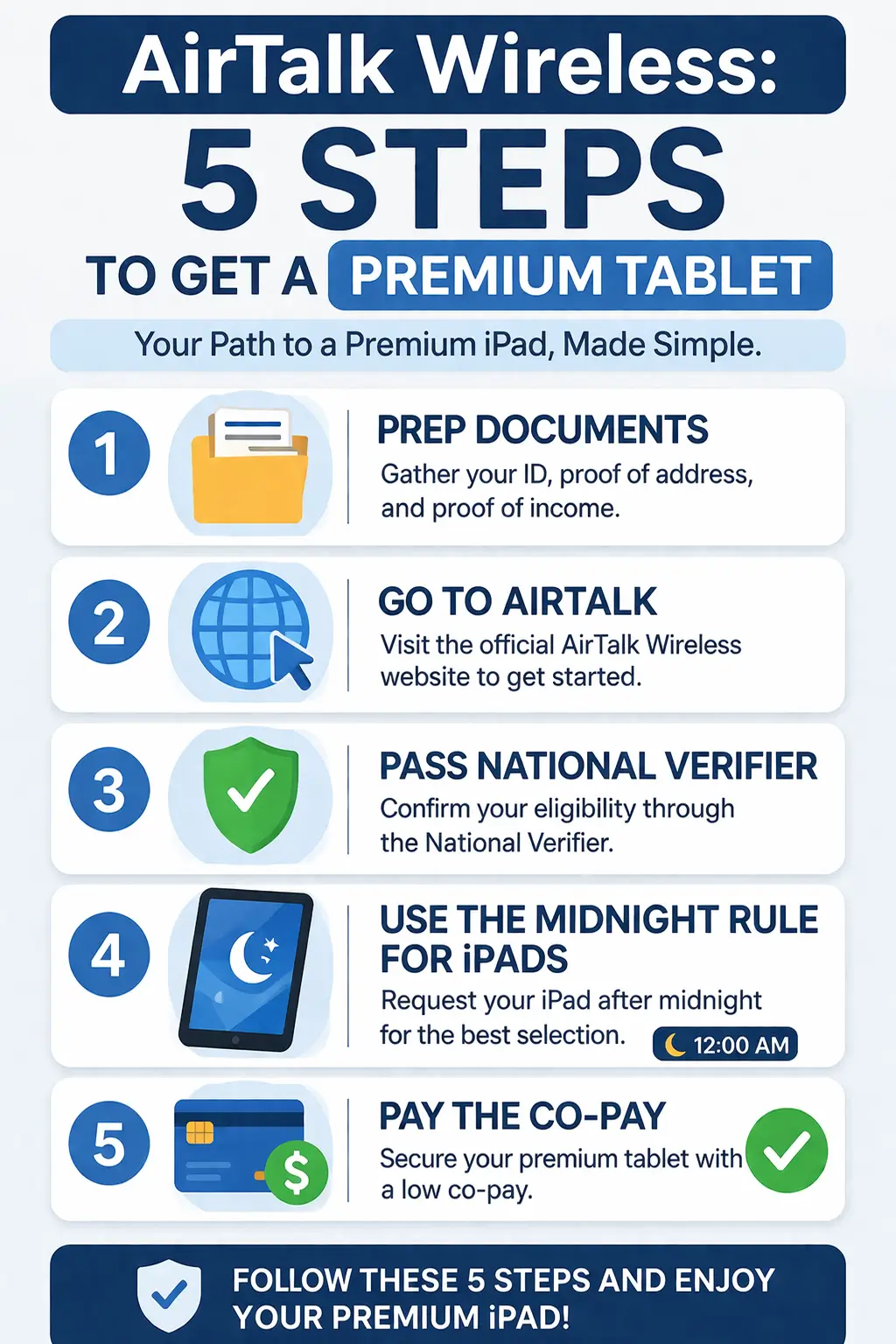
How to Apply for an AirTalk Wireless Tablet Offer
The safest approach is to separate Lifeline eligibility from the device purchase. First confirm that AirTalk serves your ZIP code, then complete the Lifeline qualification steps shown in the official enrollment flow, and finally review the tablet offer and device terms.
Step 1: Check Your ZIP Code and Current Offer
Start on AirTalk’s official website and enter your ZIP code. Device inventory and plan options can differ by location, so do not assume a tablet shown in a general catalog will appear in your enrollment checkout.
Step 2: Complete Lifeline Eligibility
Follow the Lifeline qualification process shown during enrollment. The National Verifier generally asks for identifying information such as your full name, date of birth, home address, and the last four digits of your Social Security Number or Tribal ID number. Oregon and Texas use state processes for Lifeline applications.
Step 3: Upload Documents Only If Requested
USAC may ask for proof if identity, income, or program participation cannot be confirmed automatically. Follow the exact request instead of assuming every applicant needs the same files. See our Lifeline document checklist for common examples.
Step 4: Review the Device Shown to You
After eligibility and provider enrollment steps, review the tablet or phone options currently shown for your ZIP code. Confirm the exact model, condition, storage, device price, shipping, service plan, and whether a service commitment applies.
Step 5: Read the Device Terms Before Payment
AirTalk’s current device terms include subsidy, ownership, device-management, return, warranty, and carrier-restriction rules. Review the final checkout total and the live terms before submitting payment.
Common AirTalk Wireless Tablet Questions
Is the AirTalk Wireless tablet really free? AirTalk’s current terms allow certain devices to be offered at no cost or at a reduced price, but the offer is provided by AirTalk, not funded by the Lifeline program itself. Many tablets and iPads shown in the current catalog have a device price, so check your own checkout rather than assuming the device is free.
How much does an AirTalk Wireless tablet cost? There is no single fixed price. When checked on September 21, 2026, AirTalk’s public catalog showed examples ranging from a $39.99 G17 to an $89.99 iPad 7 and a $95 TCL TAB 8 LE, while other models were out of stock or priced differently. Enrollment-specific promotions can also differ.
How do I submit an AirTalk Wireless free tablet application? Start with AirTalk’s official ZIP-code enrollment flow, complete the Lifeline eligibility steps you are shown, upload supporting documents only if requested, and then review the device available for your location. Lifeline approval by itself does not guarantee a tablet.
Can AirTalk Wireless give me an iPad? AirTalk currently lists Apple iPads in its tablet catalog, but model, condition, price and stock vary. An iPad 7 was selectable when this page was checked, while some other iPad models were out of stock.
Do I own the AirTalk tablet immediately? Under AirTalk’s current device terms, subsidized devices have a 180-day active-service requirement before full ownership transfers. Review the live device terms because subsidy and device-management rules can affect what happens if service ends early.
FAQs
Does AirTalk Wireless guarantee an iPad?
No. AirTalk can list iPads in its tablet catalog, but Lifeline approval does not guarantee an iPad or any specific model. Availability, condition, price and stock depend on the offer shown for your location.
Is an AirTalk tablet free or discounted?
It may be offered at no cost or at a reduced price depending on AirTalk’s current offer. Many tablets in the public catalog carry a device price, so review the final checkout cost, shipping, service terms and stock before paying.
Can I get an iPad completely free?
Do not assume an iPad will be free. When checked on September 21, 2026, AirTalk’s public catalog showed an iPad 7 at $89.99, while some other iPads were out of stock. Prices and promotions can change.
Is the tablet mine to keep?
AirTalk’s current Device Terms say a subsidized device requires 180 consecutive days of active AirTalk service before full ownership transfers. If service ends early, subsidy and device-management rules may still apply.
Can I use my own SIM card in the tablet?
AirTalk’s current Terms say AirTalk Devices are locked to the AirTalk network, and completing the ownership requirement does not guarantee compatibility with another carrier. Check the exact device and network terms before trying another SIM.
What happens if the tablet arrives with a cracked screen?
AirTalk’s current Terms say significant delivery damage, such as a cracked screen, should be reported to Customer Support within 48 hours of delivery with photographic evidence of the damage and packaging. Warranty eligibility depends on the applicable device terms.
Why was my application Pending for two weeks?
A pending application can have more than one cause, including identity or eligibility verification, requested supporting documents, or provider review. Read the status notice carefully and contact AirTalk or the Lifeline Support Center if you need help.
Conclusion
AirTalk Wireless currently lists multiple tablet and iPad options, but Lifeline eligibility does not guarantee a particular device or price. The safest way to compare an AirTalk tablet offer is to check your ZIP code, confirm Lifeline eligibility, review the exact model and condition shown to you, and read the final device price, service commitment, ownership, return, warranty, and carrier-restriction terms before ordering.
Because inventory changes, use AirTalk’s live device catalog and checkout as the current source of truth rather than relying on an older model list or promotional screenshot.